First steps
After signing in you'll land on the periodic table — the central overview of all treatment elements. Here you'll learn the basics.
Exploring the periodic table
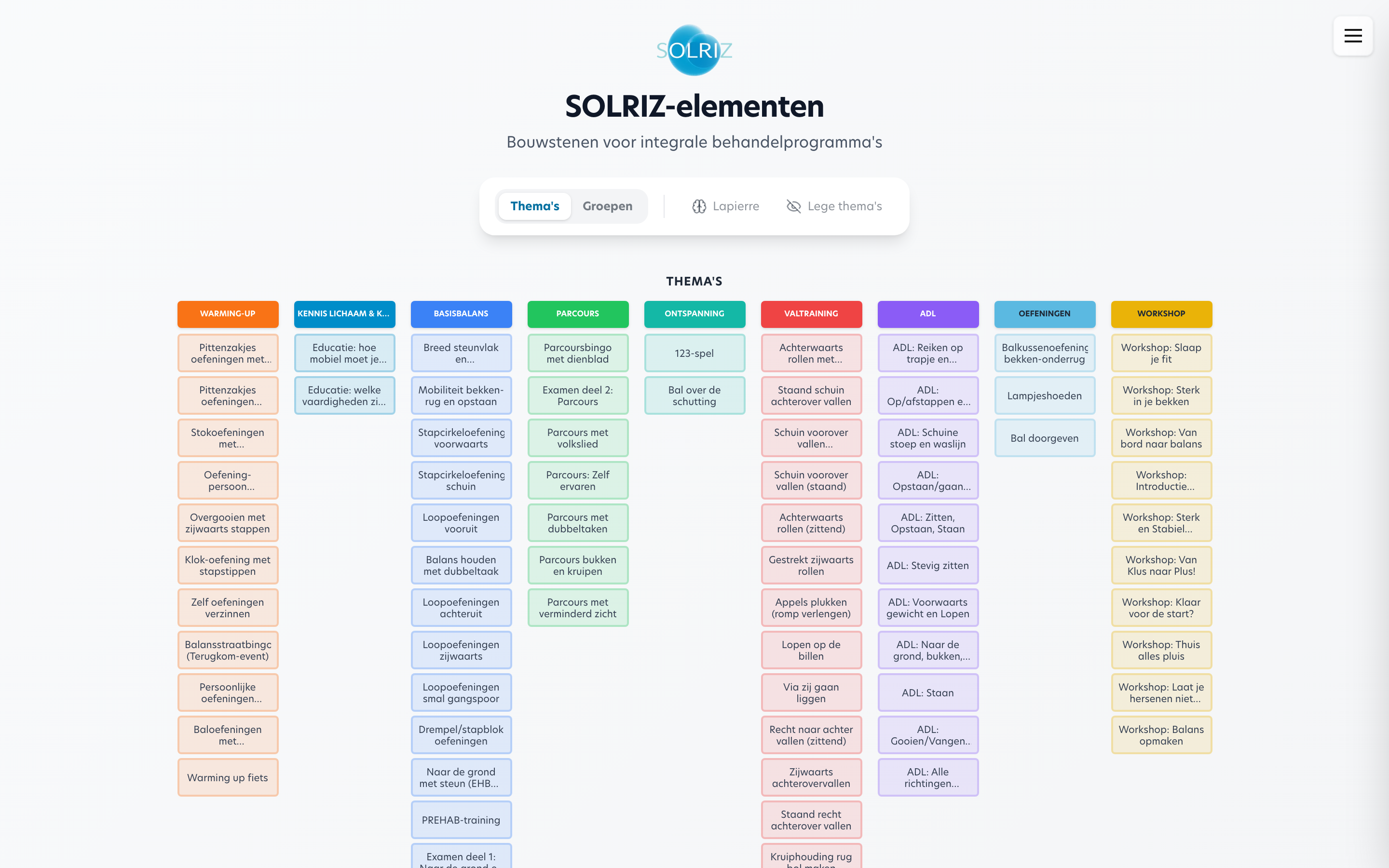
The home screen shows all elements as tiles, grouped by theme. Each tile has:
- A two-letter abbreviation (e.g. "Gp" for Pain management)
- A colour indicating the theme
- The name of the element
You can filter the view by theme or group using the filter options at the top of the screen.
Viewing an element
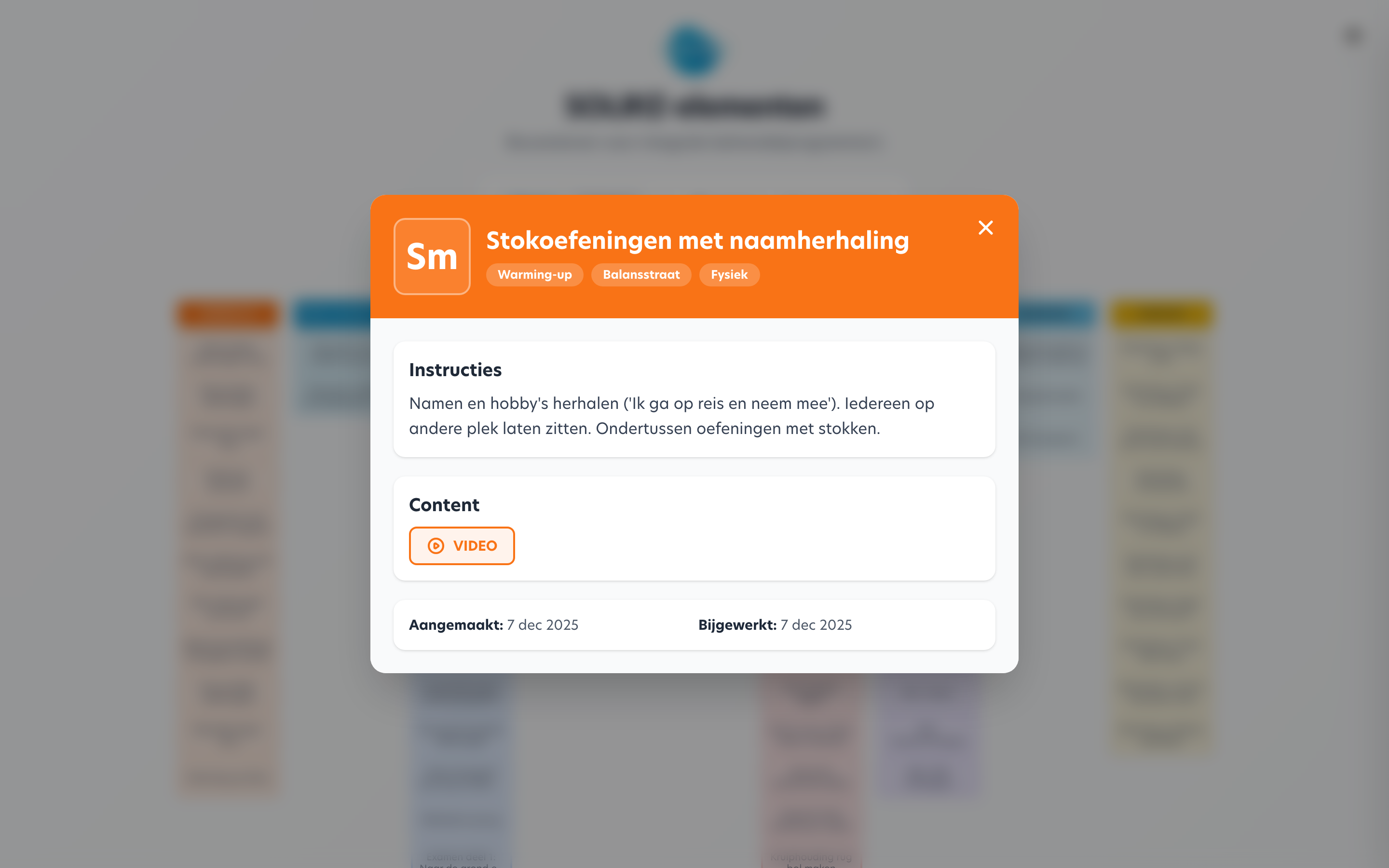
Click on a tile to see the details of an element:
- Full name and description
- Theme and group
- Instructions for the therapist
- Required materials
- Links to related content (videos, PDFs)
- Which sessions and programs the element is used in
Navigation
Use the menu to navigate between the different sections:
| Section | What you'll find |
|---|---|
| Periodic table | Visual overview of all elements |
| Programs | List of all treatment programs |
| Element library | Table view of elements with filters |
Opening a program
- Go to Programs via the menu
- Click on a program to open it
- You'll enter the program builder where you can manage sessions and elements
Viewing vs. editing
All signed-in users can view programs. Adding and editing elements and sessions is available to everyone with access — so be careful with changes.